UAS-IQby WildBone Outdoors Get notified

Unmanned Aircraft Systems · Part 107

From the first site check to the final report.

Plan your Part 107 job, check the airspace, get your authorization, and put a PDF report in your client’s hands.

Built for working drone pilots. One price, no subscription.

Get notified at launch
Coming soon to theApp StoreComing soon toGoogle Play

$19.99 one time · no subscription · iPhone and Android

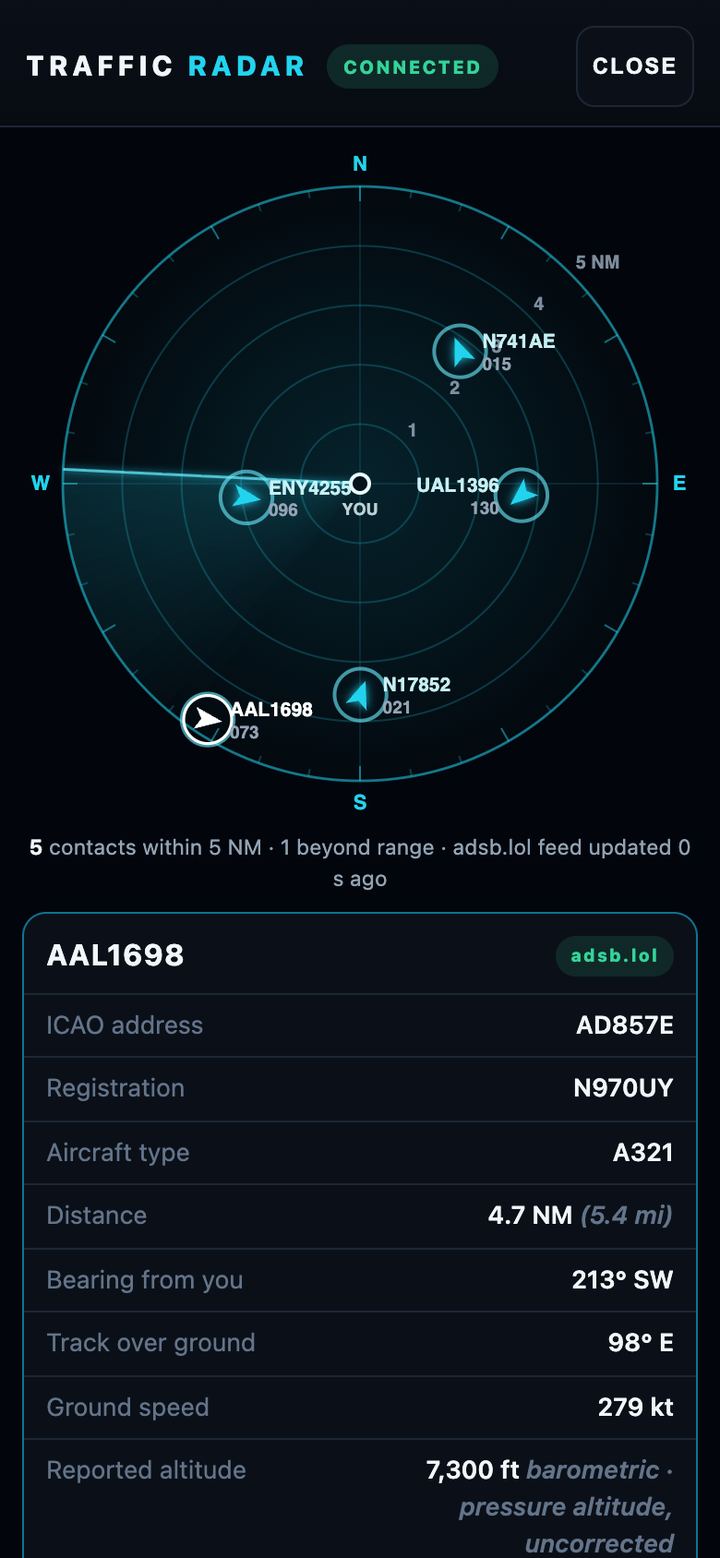
UAS-IQ traffic radar, connected, showing live ADS-B aircraft within 5 nautical miles of the pilot

The real app. Traffic radar with live ADS-B aircraft around you.

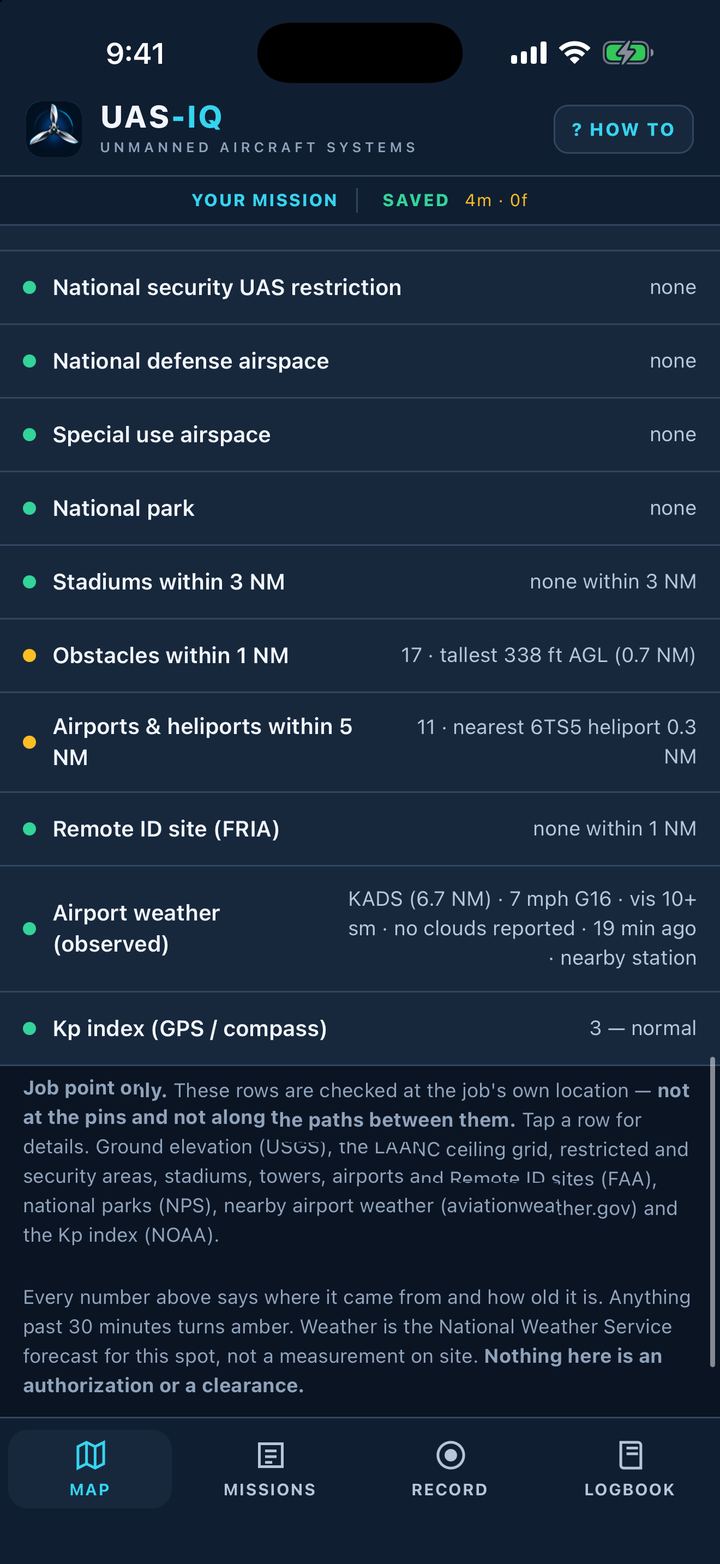
Site check list: national security UAS restriction none, stadiums within 3 NM none, obstacles within 1 NM 17, tallest 338 ft AGL

Check the site.

Know what’s around the job before you leave the truck.

Prohibited and restricted areas, national security drone restrictions, national parks, stadiums, FAA towers and obstacles with heights, nearby airports and heliports, Remote ID sites, weather and the Kp index.

Obstacles within 1 NM17 · tallest 338 ft AGL (0.7 NM)
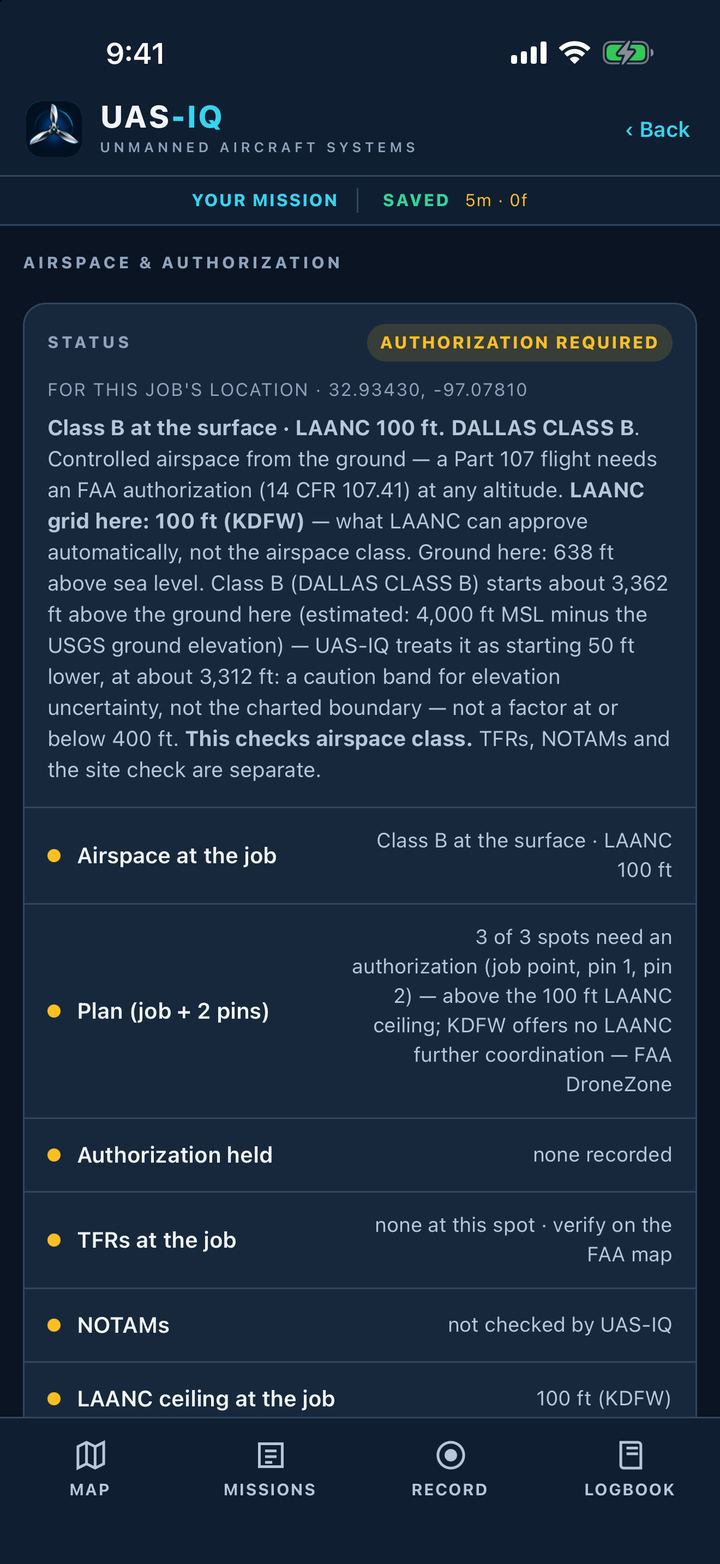
Airspace and authorization: status authorization required, Class B at the surface, LAANC 100 ft, Dallas Class B

Know the airspace.

Your job site and every pin, checked against your planned altitude.

FAA airspace class and the LAANC ceiling grid, plus TFRs for the site. When you need an authorization, UAS-IQ takes you to the FAA-approved LAANC apps or FAA DroneZone in one tap, and you record what you get.

Status · authorization requiredClass B at the surface · LAANC 100 ft
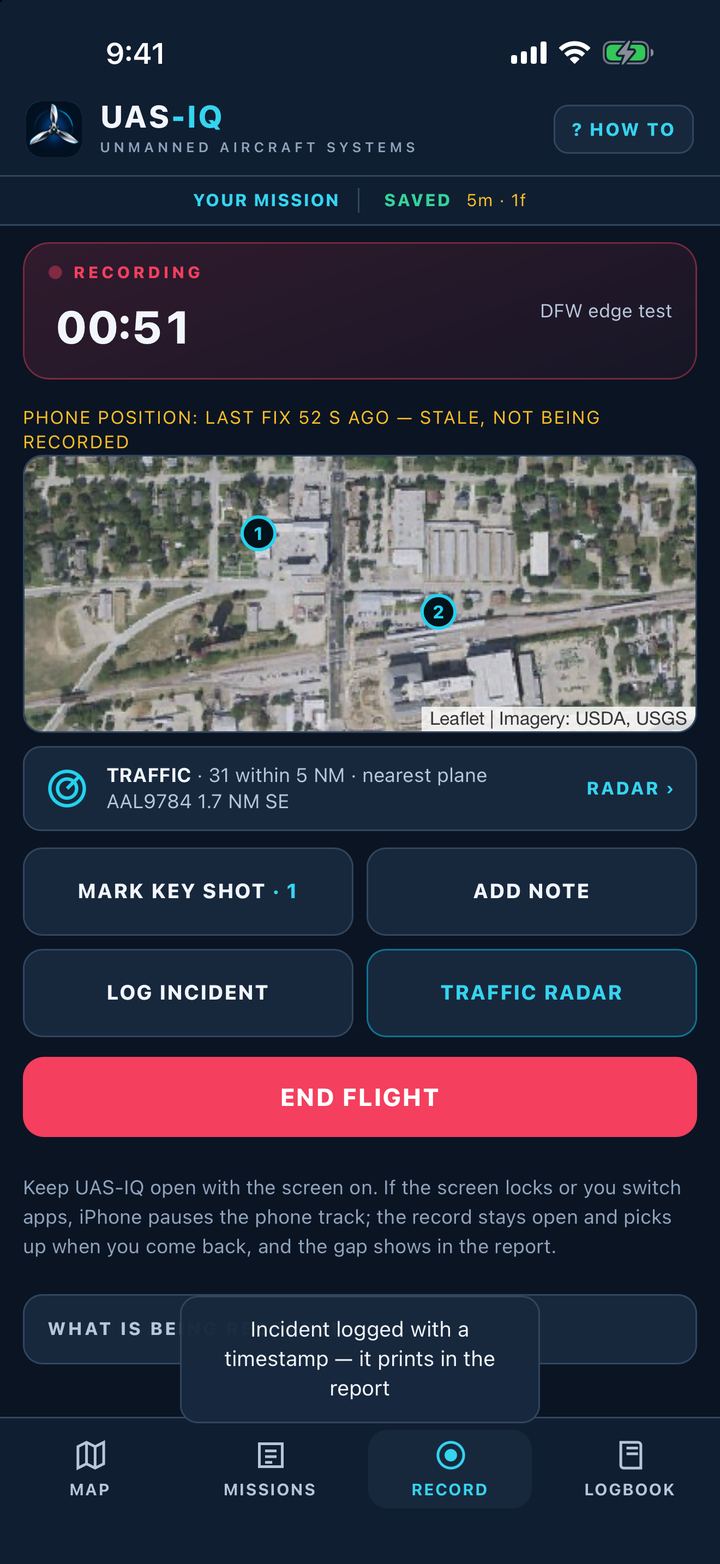
Recording a flight: timer 00:51, Mark key shot, Add note, Log incident, Traffic radar and End flight buttons

Fly it.

Run your preflight checklist. Start your flight log.

Mark key shots, log incidents and add notes while you fly. Pull up the traffic radar any time. Postflight checklist when you land.

Recording · 00:51Mark key shot · Add note · Log incident · Traffic radar · End flight

The record is your phone’s position: where you stood, not the drone’s flight path.

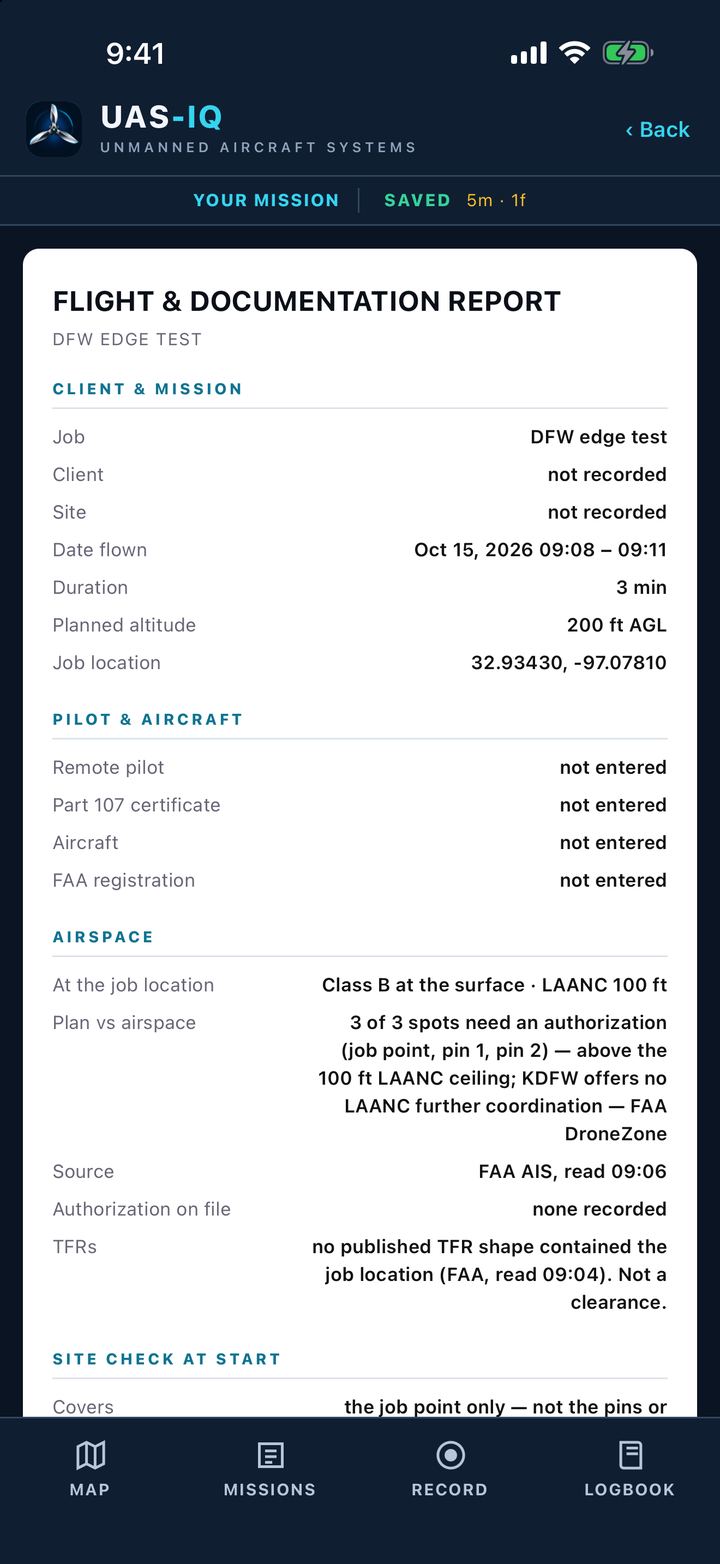
Flight and Documentation Report: client and mission, pilot and aircraft, airspace and authorization

Hand over the report.

A PDF your client can keep.

Client and mission, pilot and aircraft, airspace and authorization, all on one report you can share. Your logbook keeps the totals.

ReportFlight & Documentation Report

Coming soon.

  • Send your shots to your drone as a waypoint mission.
  • Bring your drone’s real flight path into your report.

Nothing in the app is permission to fly. Follow FAA rules and get any authorization you need before you fly.

Plan it. Fly it. Report it.

Coming soon to theApp StoreComing soon toGoogle Play

$19.99 one time · no subscription · iPhone and Android